Popular

Template Information

Welcome To Sora Films

Browsing "Older Posts"

Objectdock Plus v2.0 Full for WinXP/7/8

/

header
Objectdock ကေတာ့ Desktop ေပၚမွာ အလွဆင္တဲ့ အရာေလးပါ။ Software ေတြရဲ႕ Shortcut ေလေတြကို Dock ေပၚမွာ တန္းစီ တင္ထားလုိ႔ရပါတယ္။ ပံုစံေလးကေတာ့ Apple Macbook မွာသံုးတဲ့ ပံုစံအတိုင္းပါပဲ။ ဒီမွာကေတာ့ စိတ္ႀကိဳက္ background ကိုေျပာင္းလို႔ရတဲ့အျပင္ Full version ျဖစ္တဲ့ အတြက္ ကိုယ္လိုအပ္သေလာက္ Dock ေတြအမ်ားႀကီးထားလို႔ရတာမ်ိဳးထက္ ေနာက္ထပ္ function ေပါင္းမ်ားစြာ ပါဝင္ပါေသးတယ္။


Download-from-MMAS-300x82

Software Installation Steps

အေရးႀကီးဆံုးက Antivirus software ရွိရင္ လံုးဝ ပိတ္ထားဖို႔ပါ။ မဟုတ္ရင္ Keygen ဖိုင္းေလး ပ်က္သြားမယ္ဆိုရင္ ေနာက္တစ္ေခါက္ ထပ္ေဒါင္းေနရမွာ စိုးလို႔ပါ။
Bitdefender Antivirus သံုးထားတဲ့ စက္ကေတာ့ Safemode နဲ႔ပဲ ကြန္ပ်ဴတာကို တက္ပီး crack လုပ္တဲ့ အဆင့္ကို လုပ္ပါ။
  1. Zip ဖုိင္ကို ျဖည္ပီး Objectdock Plus ဆိုတဲ့ Software ကို အရင္ install လုပ္ပါ။ ဒါက ပံုမွန္အတိုင္းပါပဲ။
  2. Install လုပ္ပီးလို႔ Objectdock ကို run လိုက္မိရင္လည္း Activate လုပ္ခိုင္းတဲ့ box ေပၚလာရင္ ျပန္ပိတ္လိုက္ပါ။
  3. Zip file ထဲက Keygen ကို double click ႏွိပ္ပီး patch ကိုႏွိပ္လိုက္ပါ။
  4. ဒါေလးပါပဲ၊ ရပါၿပီ။
  5. Objectdock ကို ပထမအႀကိမ္ run ဖို႔အတြက္ Startmenu> All Program ထဲက Stardock ဖိုဒါကေနတဆင့္ run လိုက္ပါ။
  6. ျပင္တာဆင္တာကေတာ့ ကိုယ့္စိတ္ၾကိဳက္သာ ကလိၾကပါ။
  7. တကယ္ ဒါပါပဲ ;)

Wondershare DVD Slideshow Builder Deluxe v6.1.12 For Windows 8/7/Vista/XP (35.22 Mb)

/

သူကေတာ့ ဗီဒီယုိေတြ ဓာတ္ပံုေတြကုိ သီခ်င္းနဲ႔ ေပါင္းစပ္ျပီးလုပ္ဖို႔ အတြက္ effects အစံုအလင္ပါပါတယ္
ေနာက္ အျခားလုပ္ေဆာင္ခ်က္လည္း အမ်ားၾကီးပါ Slideshow လုပ္ခ်င္တဲ့သူေတြ အတြက္
ဒီေကာင္ေလးကုိ သံုးပါသူကုိ လုပ္ျပီးေတာ့ အျခား ဖိုင္ေတြအျဖစ္လည္းေျပာင္းလဲနုိင္ပါတယ္
ဖုနး္အတြက္ ျဖစ္ျဖစ္  MP4 အတြက္ျဖစ္ျဖစ္ DVD ေခြ လည္း Burn နုိင္ပါတယ္ယူမယ္ဆိုရင္ေတာ့ ေအာက္မွ ရယူနိုင္ပါတယ္ 
လိုင္စင္အတြက္ ကေတာ့ Crack ေလးပါ
C:\Program Files\Wondershare\DVD Slideshow Builder Deluxe\ အထိသြားျပီးေတာ့ ဖိုင္လဲေပးလိုက္ရံုပါဘဲ
  
Movie Styles (80Mb)
သူကေတာ့ effectsအလန္းေတြထပ္ျပီးေတာ့ထည္ေပးထားတဲ့ ေဆာစ့္၀ဲလ္ေလးပါ အလန္းေလးေတြနဲ႔တဲြသံုးခ်င္တယ္ရင္ေတာ့ ရယူနုိင္ပါတယ္
 
Wondershare DVD Slideshow Builder Deluxe အကို အရင္ Install လုပ္ပါ
ခရက္ဖုိင္အသံုးျပဳပါ ျပီးမွ  Movie Styles ကုိ Install လုပ္ပါ Okပါျပီ

သူရဲ့ တန္ဖိုးကေတာ့ 59 ေဒၚလာရွိပါတယ္ http://www.wondershare.com/ 
မွာေလ့လာနုိင္ပါတယ္

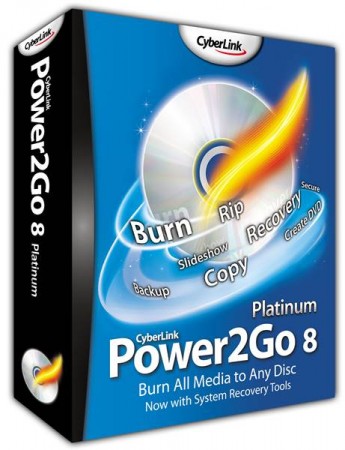
CyberLink Power2Go 8 Essential 8.0.0 For Xp 7 8 (280MB)

/
https://blogger.googleusercontent.com/img/b/R29vZ2xl/AVvXsEjcvFewFT5pnPwvrnrP4cWE9f4QflB-eIpMDMZXY3PV8X5NckJ5PBC9bGLZLKNURXxnt-iNLS2-XJ8kyoZV6r7l657rM8K2ZwtYg7d_zKKhqfJ40RtOWsXFcookG0pnva24UWNI0R8odQml/s1600/CyberLink+Power2Go+8+Essential.jpeg


DVD CD Blu-ray ေတြကို ကူးမယ္ ဒါမွမဟုတ္ Burn မယ့္သူအတြက္အဆင္ေျပပါတယ္
ျပီးေတာ့ အစင္းရာ ျဖစ္ေနျပီး ဖြင့္ရခက္တဲ့ ေခြေတြကေန Data Recover
လုပ္ခ်င္သူေတြအတြက္လညး္အဆင္ျပပါတယ္။အသံတည္းျဖတ္တဲ့မယ္သူေတြအတြက္ အဆင္ေျပမယ့္
CyberLink WaveEditor 2 ေလးလည္းပါတယ္ခင္ဗ်ာ အျခားလုပ္ေဆာင္ခ်က္ေတြလညး္ပါရွိပါတယ္
http://www.cyberlink.com/products/power2go/overview_en_US.html?&r=1
မွာေလ့လာျပီး အသံုးျပဳမယ္ဆို ေအာက္ကလိပ္စာကေနရယူနုိင္ပါတယ္


Download လုပ္ရတာ အဆင္ေျပေအာင္ 100စီခဲြတင္ေပးထာပါတယ္
Part 1 Download>>>mirrorupload(or)sendspace (or)zippyshare (or)sharebeast
Part 2 Download>>>mirrorupload(or)sendspace (or)zippyshare (or)sharebeast
Part 3 Download>>>mirrorupload(or)sendspace (or)zippyshare (or)sharebeast
Rar Pass>>>amyokaungtarr


CL.122023_Essentia_P2G120517-03 ကုိကလစ္ျပီးေတာ့ Install လုပ္ပါ ျပီးရင္
လုိင္စင္ဗားရွင္းျဖစ္ဖို႔အတြက္ အရင္ဆံုး 2126b Update ဖိုင္ထဲကုိ Patch ဖုိင္ကုိ Install လုပ္ပါ


ျပီးသြားရင္ Power2Go8 SIM ဖိုင္ထဲက P2GSIM ဆိုတဲ့ဖုိင္ကုိ
C:\Program Files\CyberLink\Power2Go8\ အထိသြားျပီးေတာ့ထည့္လိုက္ပါ

ဖုိင္လဲမလားေမးရင္ ဖိုင္လဲလိုက္ပါ ျပီးရင္ WaveEditor crack ဖိုင္ထဲက သံုးဖိုင္လံုးကုိ
C:\Program Files\CyberLink\Power2Go8\ အထိသြားျပီးေတာ့ထည့္လိုက္ပါ


ဖုိင္လဲမလားေမးရင္ လဲလိုက္ပါ ျပီးရင္ Power2Go8 ကုိ လိုင္စင္ဗားရွင္းနဲ႔ သံုးလို႔ရပါပီ


Start Menu Changer v2.6 for Win 7

/

windows-7-start-button-changer
ဒါေလးက Start menu က နဂို Window logo ေလးကို စိတ္ႀကိဳက္ logo ကို ေျပာင္းလဲလို႔ရတဲ့ tools ေလးပါ။ နဂိုလုပ္ထားပီးသား ဒီဇိုင္းေတြ အျပင္ Photoshop ေလးျဖစ္ျဖစ္ Photo ျပင္တဲ့ တစ္ခုခုနဲ႔ ျဖစ္ျဖစ္ စိတ္ႀကိဳက္ဖန္တီးၿပီး Startmenu ေနရာမွာ ထားႏုိင္ပါေသးတယ္


images
Untitled


Download-from-A-300x82

Crack,Serial,Keygen ေတြကို Google မွာရွာတဲ႕နည္းေလး

/


ဘာ software မွမသုံးပဲ crack, serial, keygen ေတြကို google မွာရွာလို႕ရတဲ႕နည္းေလးမွ်ေဝေပးလိုက္ပါတယ္။တခ်ိဳ႕ေဆာ့ဝဲေတြမွာကီးေတြေတာင္းတာတို႕ဘာ
 တို႕ေပါ့ေနာ္။ကိုယ့္မွာ ဒီေဆာ့ဝဲတြက္ကီးေတြ မရွိဘူးဘာမွာရွာျပီးထည့္ရမလဲဆုိရင္ဒီနည္းေလးနဲ႕ရွာလိုက္
ေပါ့ဗ်ာ။

အရင္ဆံုက Google  မွာရွာမွာျဖစ္တဲ႕အတြက္ www.google.co.th ကိုသြားလိုက္ပါ။ျပီးရင္
Google က ရွာတဲ႕ေဘာက္ထဲမွာ မိတ္ေဆြတို႕ရွာခ်င္တဲ႕ေဆာ့ဝဲနာမည္ကို double code ေလးခံေပးျပီးရွာ
ရမွာပါ။ double code ခံတယ္ဆိုတာက ဒီလိုေလးပါ  "photoshop " အဲဒီလိုေလးခံျပီးေတာ့
space ေလးၿခားၿပီး ေနာက္က 94fbr လို႔ေရးထည့္ၿပီး enter ေခါက္လိုက္ပါ...။ေအာက္ကပံုအတိုင္းပါ။


crack...,keygen...serial ေတြက်လာပါလိမ္႔မယ္..အဆင္ေၿပတဲ႔ ဆိုဒ္ကို ေရြးၿပီးသြား
ေဒါင္းလိုက္ရံုပါဘဲဗ်ာ။ ဒါမွမဟုတ္ enter ေခါက္လိုက္ပါ။ေအာက္ကပံုလိုကလာပါလိမ့္မယ္။အမ်ားၾကီးပါဘဲ
ၾကိဳက္တဲ႕ဆိုဒ္ကေနသြားေဒါင္းလိုက္ေတာ့ဗ်ာ။

Windows Media Player ျဖင့္ဓါတ္ပံုရိုက္နည္း

/
Windows Media Player သံုးသူေတြ အတြက္ပါ VCD ထဲက ပံုေတြကုိ ဓါတ္ပံု ရိုက္ခ်င္ရင္ရိုက္လို႔ရေအာင္ပါ


windows media player ကုိဖြင့္လုိက္ပါ။
အဲဒီထဲက Tools -> Options ->Pefomance -> Advanced အထိအဆင့္ဆင့္ ႏွိပ္၀င္သြားလိုက္ပါ
ေနာက္ Use overlays ကုိ အမွန္ျခစ္ကေလး ျဖဳတ္လိုက္ပါ
ျပီးေတာ့ ok ->apply -> Yes လုပ္လိုက္ပါ။အဲဒါဆိုရပါၿပီ။

ဓါတ္ပံုရိုက္ခ်င္တဲ့ VCD တစ္ခုကို Window Media Player နဲ႔ ဖြင့္လိုက္ပါ။
ရိုက္ခ်င္တဲ့ေနရာေရာက္ရင္ Ctrl+I ကို keyboard မွာ ႏွိပ္လိုက္ပါ။
Save box ေလးက်လာပါမယ္။မိမိ သိမ္းလိုရာေနရာမွာ သာ file name ေပးျပီးသိမ္းလိုက္ပါ။

VLC PLAYER အသစ္ေလးပါ

/

ဒါေလးကေတာ့ ေနာက္ဆံုးထြက္ vlc player အသစ္ေလးပါ
ေဒါင္းရန္.. ဒီမွာ

Windows 8 Pro 32-bit(x86) Untouched ISO Download ( 2 GB )

/


Windows 8 Pro 32 Bit ျဖစ္ပါတယ္..အပိုင္းႏွစ္ပိုင္းတင္ေပးထားပါတယ္...လိုအပ္သူမ်ား Download ရယူ
ႏိုင္ၾကပါၿပီ..ေဒါင္းမရသူမ်ား အျခား Connection ျဖင့္ေဒါင္းပါ...ေဒါင္းလို႕ရပါတယ္..ေဒါင္းမရရင္ မိမိရဲ႕
ကြန္နက္ရွင္ေၾကာင့္ျဖစ္တာပါ:-)

Return the Start Button to Windows 8 (Window 8 မွာ Start Menu မပါရင္) Stardock Start8 1.1 Final

/
 Window 8 မွာ Start Menu မရွိရင္ ဒါေလးေဒါင္းယူျပီး Install ေပးလိုက္ပါ...  
 ေဒါင္းရန္... ဒီမွာ

Return the Start Button to Windows 8
Windows 7-style Start menu with Windows 8 enhancements

  • Search for Windows 8-style (Modern UI) apps
  • Pin desktop and Metro apps to the start menu
  • Jump List support
  • Unified Search for apps, settings and files
  • Boot directly to the Windows 8 desktop
  • One click access to shut down, devices, music, documents, and videos
Changes in Start8 v1.03
  • Added typing "C:" in the start menu will launch Explorer to that location.
  • Fixed backspace on empty search box causing the search screen to show blank
  • Fixed non 100% dpi settings causing the start menu to appear too large
  • Fixed Metro apps icons not scaling with higher dpi
  • Fixed occasional corruption of All Programs tree icons on some machines
  • Fixed timing issue sometimes causing explorer to restart if you rapidly clicked the start button

Installation
1. Extract the rar 
2. Install start8 
3. Copy & Paste patch to the program installation directory 
4. Run Patch> Click "PATCH" 
5. Enjoy

Dr.Web LiveUSB v6.0.2 Full

/


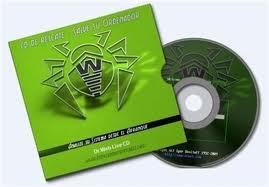
Dr.Web LiveUSB v6.0.2 ေဆာ့ဖ္၀ဲဟာ USB ေတြကတစ္ဆင့္ ကူးစက္တတ္တဲ့ ဗိုင္းရပ္စ္ ေတြနဲ႔ သံသယျဖစ္ဖြယ္ရာဖိုင္ ဟူသမွ်ကို အျမစ္ပါမက်န္ ရွင္းလင္းဖယ္ထုတ္ေပးမွာျဖစ္ပါတယ္... USB ထဲက Virus ေတြကိ မသုတ္သင္ခင္ အဲဒီထဲမွာရွိေနတဲ့ အေရးႀကီးတဲ့ အခ်က္အလက္ေတြကိုလည္း Backup ရယူေပးထားမွာျဖစ္ပါတယ္..


Dr.Web LiveUSB will clean your computer of infected and suspicious files, help you copy important information to a removable data storage device or another computer, and then attempt to cure infected objects
How it works:-
Create an emergency repair USB drive:
Connect a USB flash drive to the computer. Registering the plugging in event takes no more than 10 seconds.
Launch drwebliveusb.exe.
The program will detect available USB-devices automatically and prompt you to choose the one you’d like to use as an emergency repair drive. You can format the device if you like (a warning will be displayed before you proceed with formatting). In order to read the License agreement, follow a corresponding link found in the program window (the page containing the license agreement text will be loaded in your default browser).
To create a bootable USB flash drive, press the Create Dr.Web LiveUSB button.
Files will be copied automatically.
Once the copying process is completed, press the Exit button to close the application.
Languages: English, Russian


Hack ခံလိုက္ရသည့္ သင့္၏ Facebook Account အား ဘယ္လုိျပန္ယူမလဲ

/

Facebook ကို hack အလုပ္ခံရတဲ့ နည္းလမ္းေတြ အမ်ားၾကီး ရွိပါတယ္။
ဘယ္နည္းနဲ႔ျဖစ္ျဖစ္ အကယ္၍သာ သင့္ရဲ့ Facebook ကို hack လုပ္ခံလိုက္ရျပီ ဆုိရင္ေတာ့ ေအာက္ပါနည္းလမ္းမ်ားကို အသံုးျပဳျပီး ျပန္လည္ရယူဖုိ႔ ၾကိဳးစားေဆာင္ရြက္ ၾကည့္ႏုိင္ပါတယ္။


နည္းလမ္း ၁ (မိမိ account ႏွင့္ သက္ဆိုင္သည့္ အခ်က္အလက္မ်ားအား မွတ္မိလွ်င္)

အဆင့္ ၁ - www.facebook.com/hacked သို႔သြားပါ။
အဆင့္ ၂ - "My Account is Compromised" အား ႏွိပ္ပါ။
အဆင့္ ၃ - မိမိ account ႏွင့္ သက္ဆိုင္သည့္ အီးေမးလ္ (သို႔) ဖုန္းနံပါတ္ (သို႔) Facebook သံုး မိမိအမည္ (သို႔) မိမိ၏ အမည္အျပည့္အစုံအား ထည့္သြင္းျပီး Search လုပ္ပါ။
အဆင့္ ၄ - ရွာေတြ႔သည္ဆုိလွ်င္ မိမိ၏ ရွိရင္းစြဲ password အား ထည့္သြင္းပါ။
အဆင့္ ၅ - မွန္ကန္သည္ဆိုလွ်င္ Facebook မွ သင္၏ account အား လုံျခံဳေရးေဆာင္ရြက္ရန္ ေျပာၾကားပါလိမ့္မယ္။ Continue ႏွိပ္ပါ။
အဆင့္ ၆ - Password အသစ္အား ၂ ခါျပန္ ရိုက္ထည့္ပါ။
သင္၏ hack လုပ္ခံထားရသည့္ account ထဲ ျပန္ဝင္လုိ႔ ရပါျပီ။
မွတ္ခ်က္ - ဖုန္းတြင္ SMS ရယူျခင္းျဖင့္ လုံျခံဳေရး ၂ ထပ္ ျပဳလုပ္ထားပါက မိမိ၏ account ပါ ဖုန္းအား လက္ဝယ္ရွိေနရန္ လုိအပ္ပါမည္။

နည္းလမ္း ၂ (မိမိ account ႏွင့္ သက္ဆိုင္သည့္ အခ်က္အလက္မ်ားအား မမွတ္မိလွ်င္)

အဆင့္ ၁ - www.facebook.com/hacked သို႔သြားပါ။
အဆင့္ ၂ - "My Account is Compromised" အား ႏွိပ္ပါ။
အဆင့္ ၃ - စာမ်က္ႏွာ ဘယ္ဖက္ေအာက္ေထာင့္ရွိ "I can't identify my account" အား ႏွိပ္ပါ။
အဆင့္ ၄ - Facebook မွ ေမးျမန္းသည့္ သင္ႏွင့္ သက္ဆိုင္သည့္ ေမးခြန္းမ်ားအား ေျဖပါ။
အဆင့္ ၅ - Submit လုပ္ပါ။

မၾကာမီတြင္ Facebook မွ သင့္အား ဆက္သြယ္လာမည္ျဖစ္ျပီး သင္၏ account အား ျပန္လည္ရယူႏိုင္ရန္ ကူညီပါလိမ့္မည္။

မိမိ account လုံျခံဳေရးအတြက္ ေဆာင္ရြက္ႏိုင္သည့္ အခ်က္မ်ား -

- အလြယ္တကူ မသိရွိႏိုင္မည့္ password မ်ားထားပါ။
- အလ်ဥ္းသင့္သလို ေျပာင္းလဲပါ။
- လုံျခံဳေရး ေမးခြန္းမ်ား ထားရွိပါ။
- ဖုန္း SMS သံုး လုံျခံဳေရး ၂ ထပ္ ထားရွိပါ။
- မလုံျခံဳသည့္ ၾကံဳၾကိဳက္ရာ WiFi သံုးျခင္း ေရွာင္ၾကဥ္ပါ။
- မိမိ Facebook ႏွင့္ Email အား အခ်ိန္ျပည့္ ဖြင့္ထားျခင္း ေရွာင္ၾကဥ္ပါ။
- Facebook တြင္ မိမိ၏ ကုိယ္ေရးကုိယ္တာ အခ်က္မ်ား ေဖာ္ျပထားျခင္း ေရွာင္ၾကဥ္ပါ။

From: ကို ၀င္းကမာၻေက်ာ္

စာေပ၀ါသနာရွင္မ်ားအတြက္စုစည္းမႈ

/
                စာေပခ်စ္သူမ်ား အတြက္ link ေလးေတြ စုစည္းျပီး pdf ဖိုင္ေလးနဲ ့ျပဳလုပ္ထားတယ္                                                                 ေဒါင္းရန္...ဒီမွာ